Product · n7kel Vakhta
n7kel Vakhta — staff video analytics on your cameras
The platform connects to the IP cameras you already have and turns video into verifiable signals about the checkout, shifts, posts and safety. Every event comes with a frame and a video clip protected against retroactive editing. Video does not leave the site. The AI is trained further for the client’s tasks.
Shift events
- 09:41Card payment, receipt matchedTill 1Matched
- 09:38Drawer opened without a receiptTill 2Violation
- 09:35Customer waiting over 2 minTill 2Attention
- 09:31Post empty for 4 minWarehouseAttention
- 09:27No helmet in the fuel unloading areaForecourtViolation
- 09:20Sales floor cleaningShopAs scheduled
Every event comes with a frame and a video clip
Components
What the platform consists of
n7kel on-site unit
Receives video from cameras, recognizes people and actions, applies post and zone rules, saves the frame and clip, and signs every event. Keeps working without internet access.
Server
POS reconciliation, analytics, event archive, roles and access log, REST API and webhooks. Hosted on the client’s premises or, in the hybrid option, in a data center.
Web dashboard
Open violations with priority and response deadline, event cards with evidence, analytics by site, shift and employee. Runs in a browser, including on a closed network.
Works on cameras that are already installed
n7kel AI is trained and tested on ordinary 2D images, so the cameras you already have are suitable. 3D cameras are supported too, if they are already on site or the task requires them.
IP cameras with an RTSP stream are suitable, as are MJPEG and HLS streams. A 720p or 1080p substream and a view-only account are enough. Every camera goes through a built-in suitability check.
Modules
What the system sees
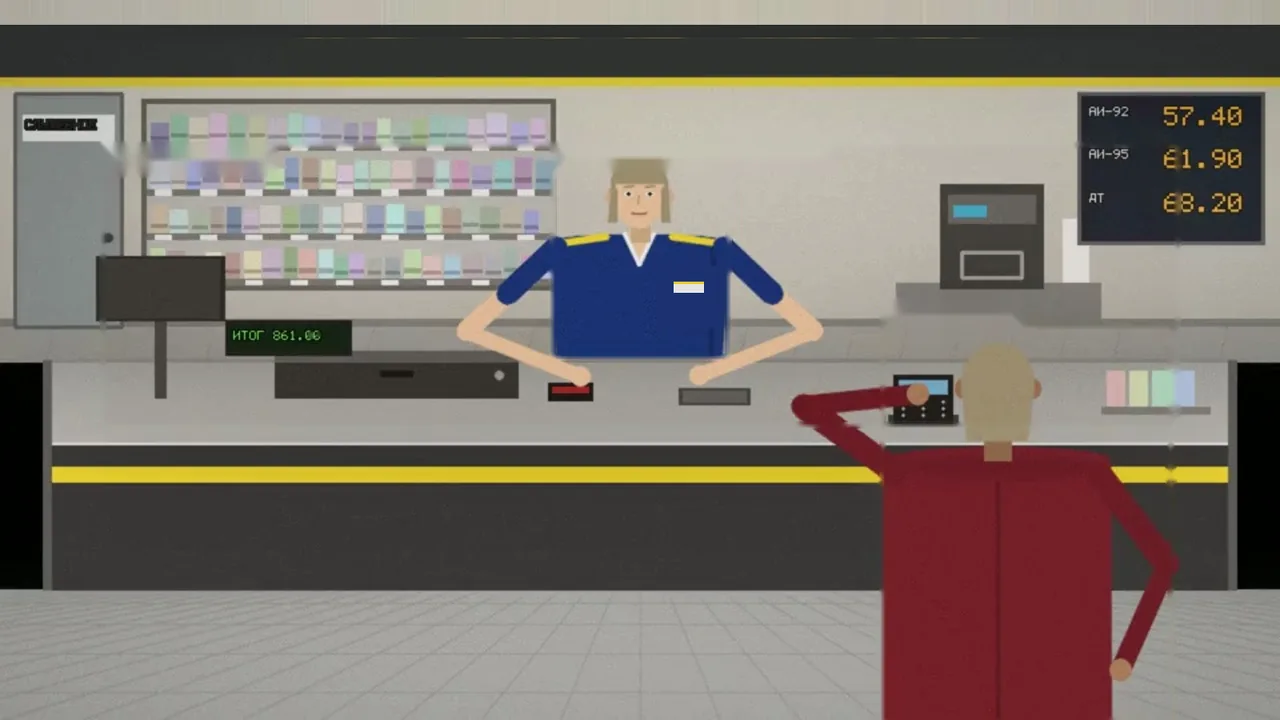
Fuel station checkout
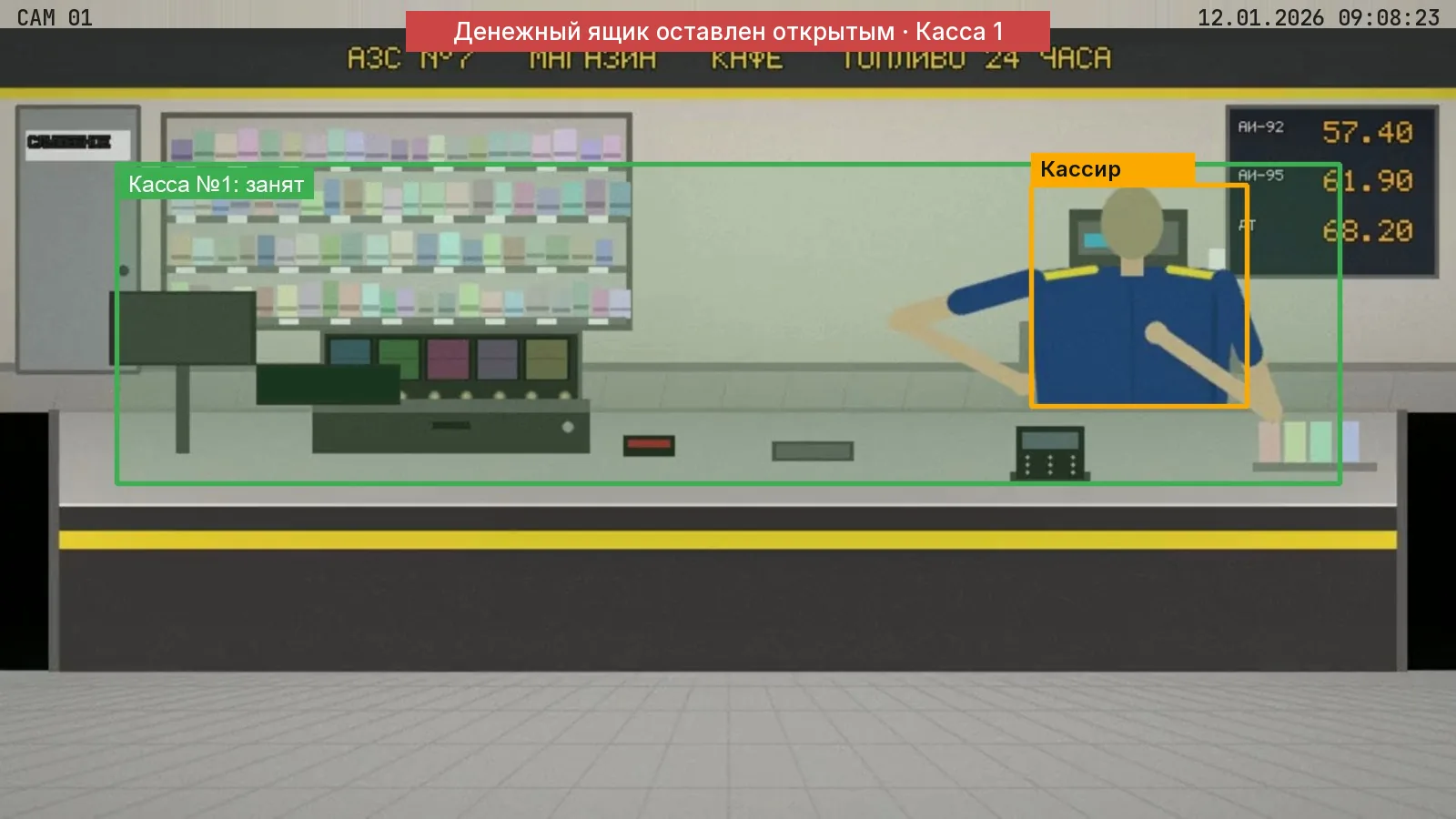
Cashier actions are reconciled with POS transactions: off-till sale (not rung up), refund without a customer, drawer opened without a receipt or with no customer present, wrong employee at the till, customer waiting, drawer left open.
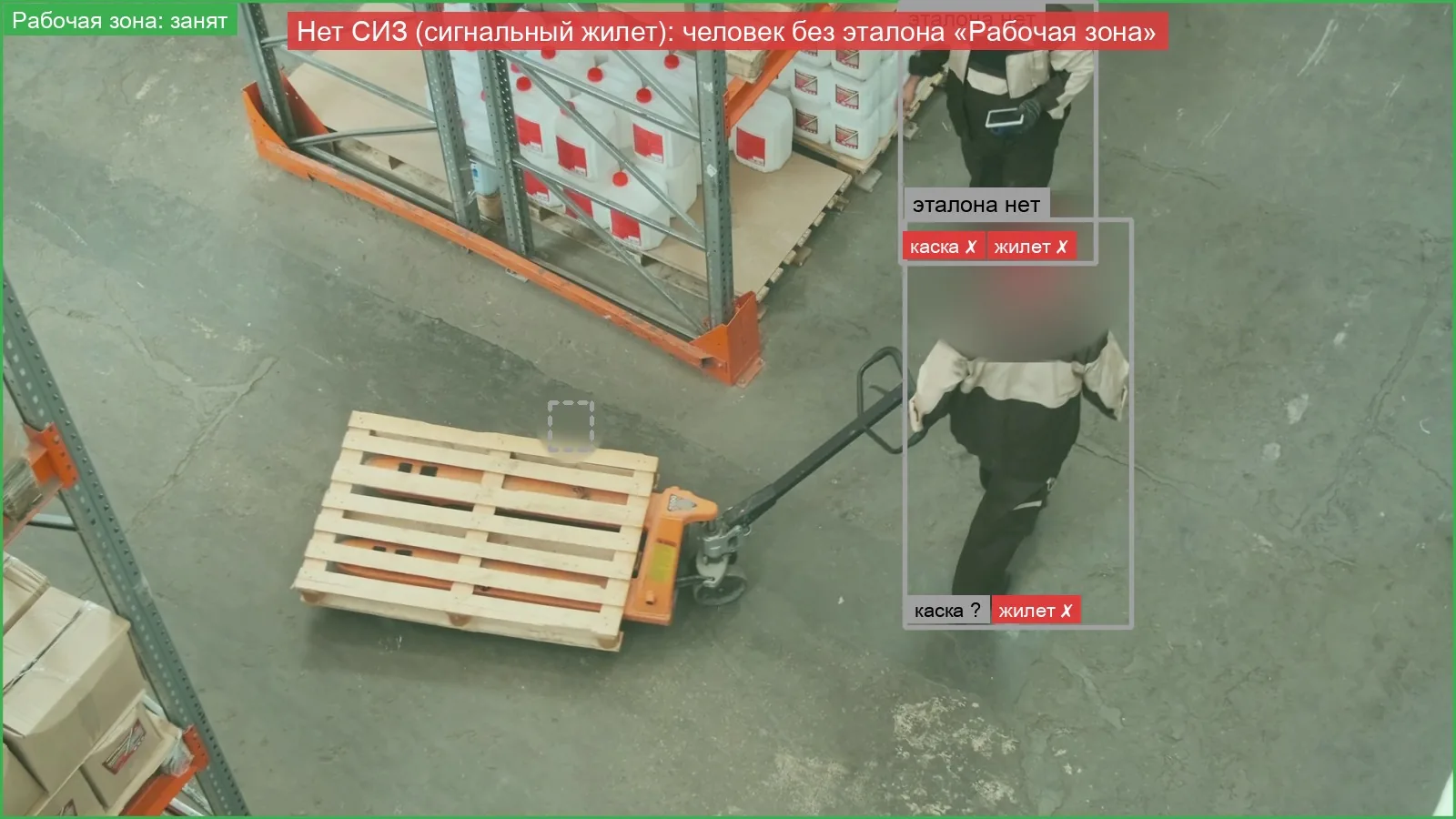
PPE
High-visibility vest, helmet, gloves. The set of required workwear is defined for each post.
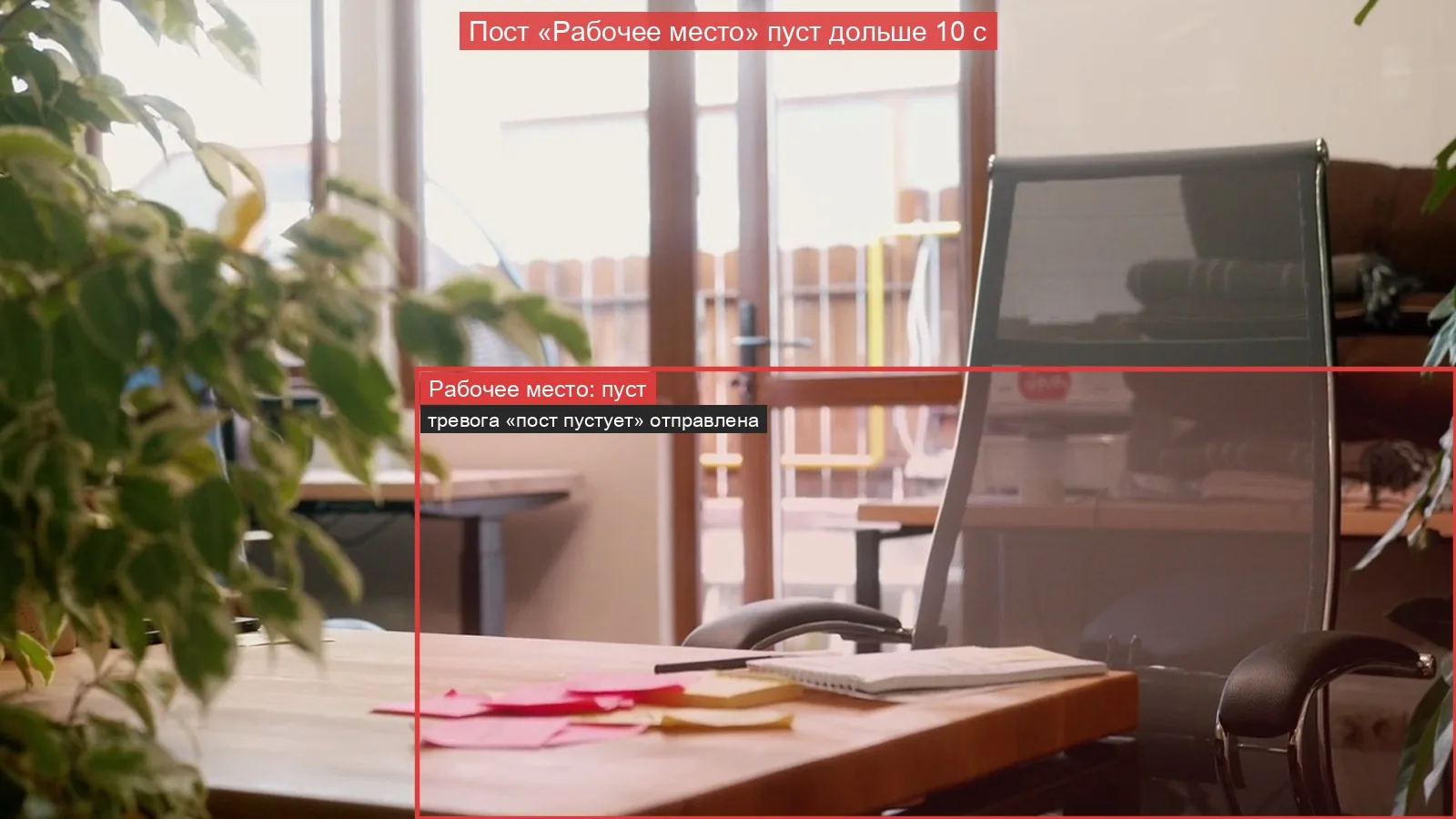
Post occupancy
Whether anyone is at the post, which posts are unattended, absences and returns with their duration.
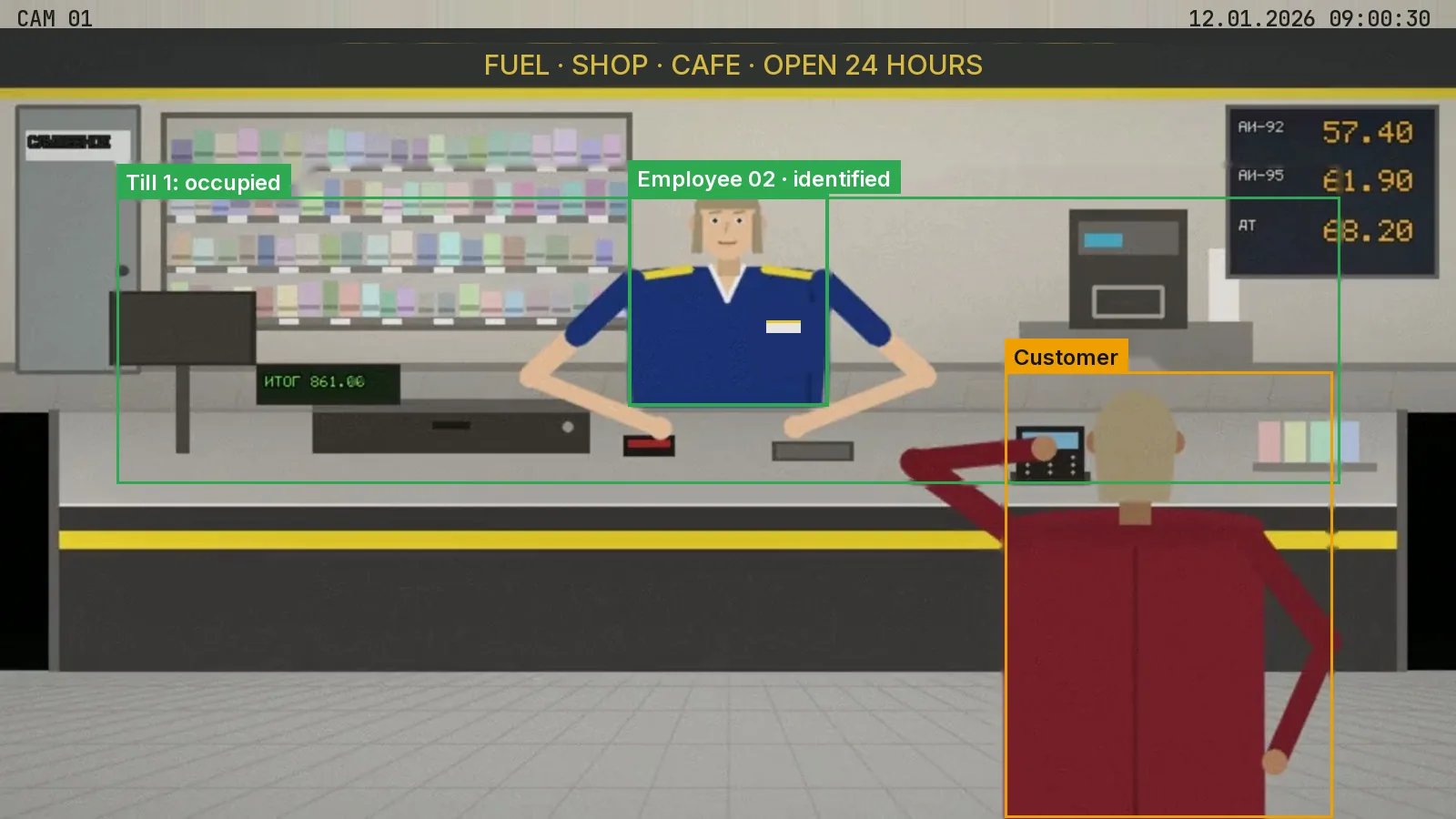
Staff identification
Matching against reference images, only for employees who have given written consent. An identified employee is marked in the frame; the separate “no reference” status is never counted as a mismatch.
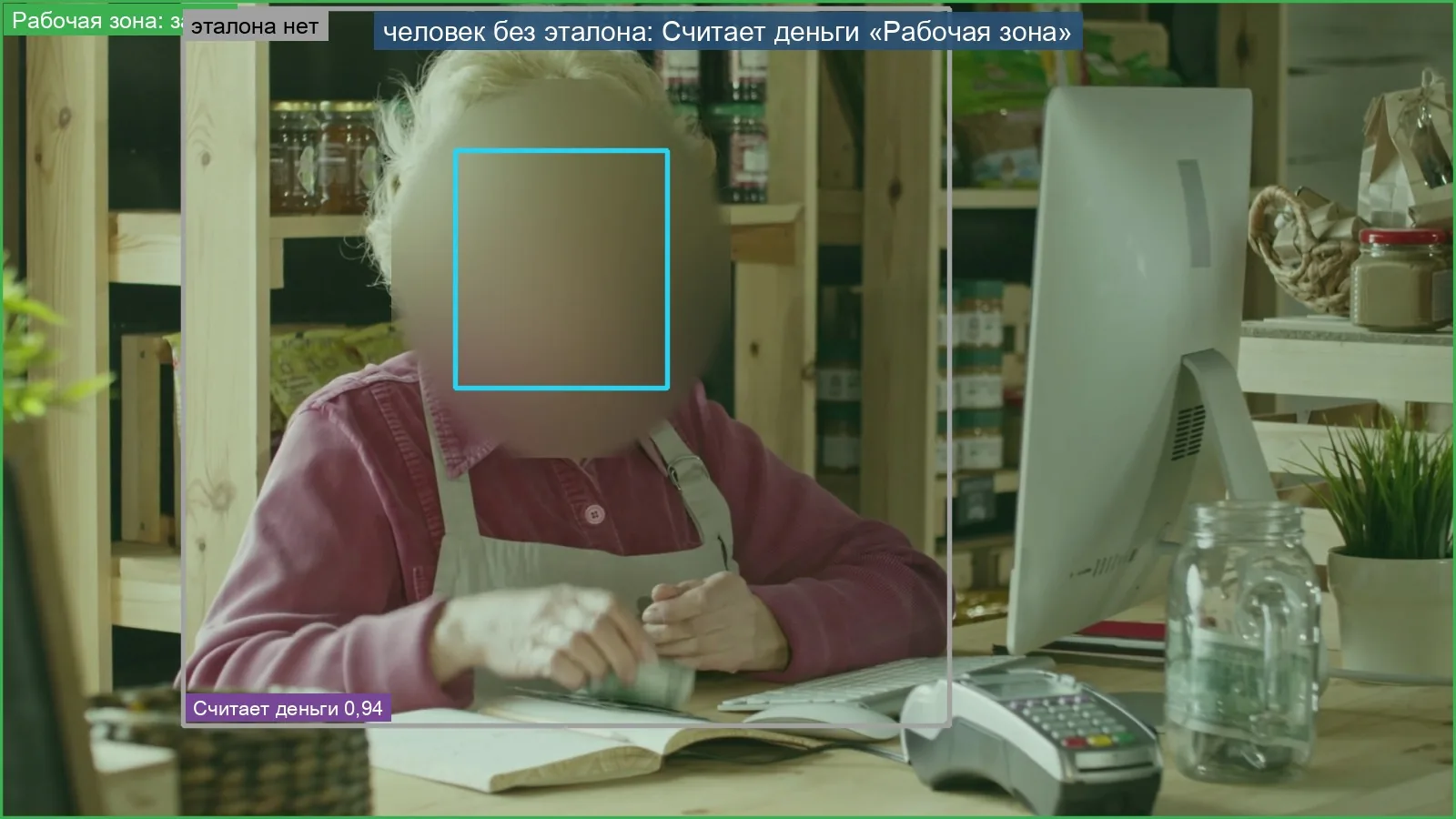
Workplace actions
Phone calls, smoking, eating, sleeping, counting cash, cleaning. An informational flag, enabled per post at the client’s decision.
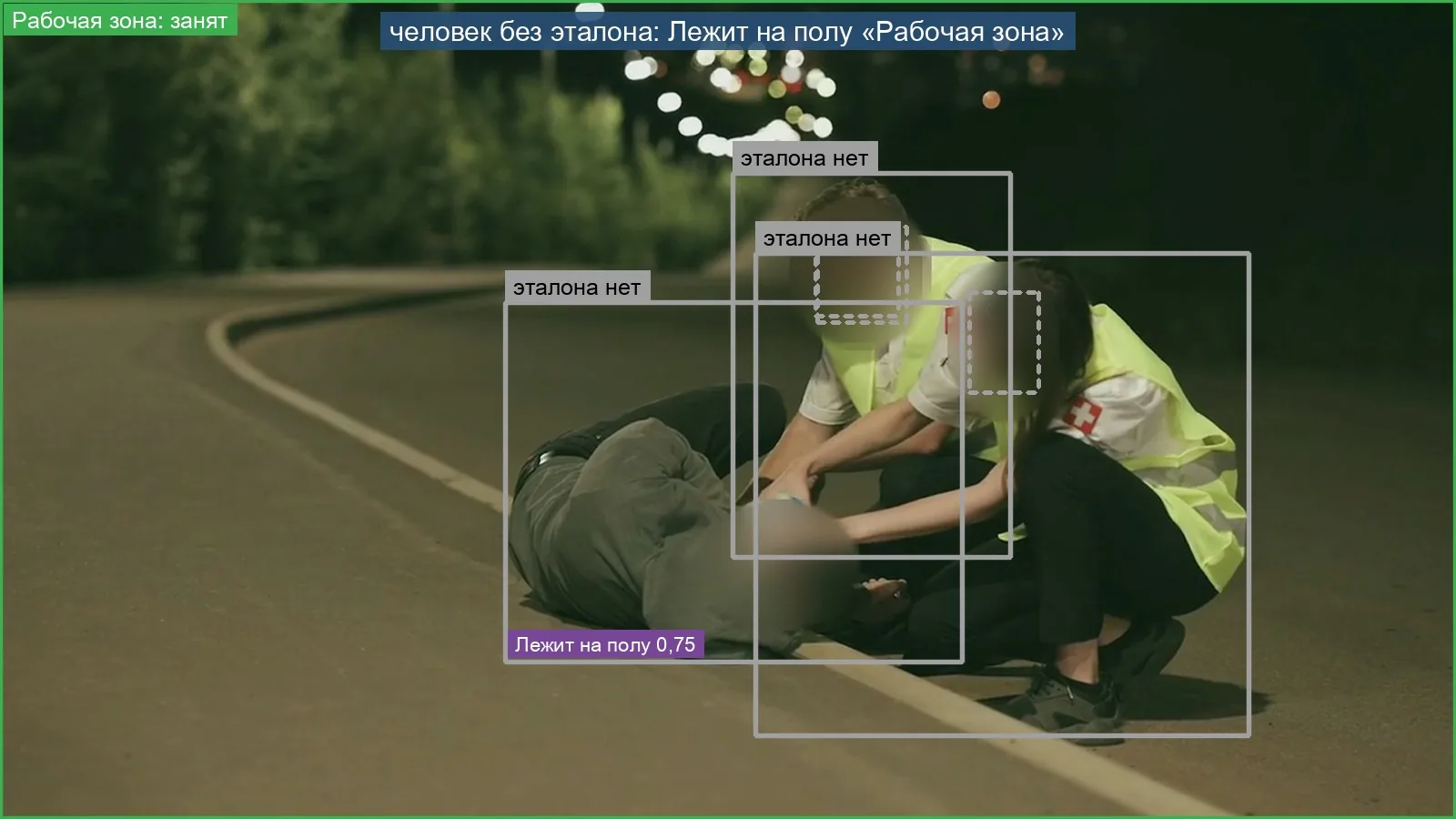
Safety
A person on the floor, entry into a marked hazardous zone — critical events with an immediate notification. Works in low light.
Fuel Station Checkout module
Checkout reconciliation: when a violation is opened
Video on its own does not know whether a receipt was issued; a receipt does not show whether a customer was at the checkout or who was behind the till. That is why a reconciliation violation is opened only when the discrepancy is confirmed by both the video and the POS data.
| Signal | When it is opened |
|---|---|
| Drawer opened without a receipt | The camera saw the drawer open, but the POS recorded no receipt, refund or no-sale transaction close in time. |
| Off-till sale | Goods were handed to a customer across the counter, but there is no receipt close in time. |
| Refund without a customer | The POS recorded a refund or void, and the camera saw the checkout area and no customer. |
| Wrong employee at the till | The POS is logged in under one employee’s account, while the camera confidently identified a different employee at the till. |
| Drawer opened with no customer present | The cash drawer is open and there is no customer at the checkout. |
| Drawer left open | The drawer is open longer than the post threshold; 60 seconds by default. |
| Customer waiting | A customer is at the checkout and the cashier has been absent longer than the threshold; 120 seconds by default. |
When a violation is not opened
- there is no POS data for that moment — so there is no accusation;
- the employee has no reference or no consent — the status is “no reference”, not a mismatch;
- a camera goes offline — posts switch to the “unknown” state and a camera notification is sent;
- the system is not certain — it answers “undetermined” and stays silent;
- a receipt arrives late — the violation is cleared automatically.
Module under an agreement with government authorities
Checking vehicles and faces against wanted lists
At the client’s request, n7kel Vakhta can be integrated with the databases of the Ministry of Internal Affairs, the National Security Committee and other authorized bodies: license plates and vehicles at the entrance and visitors’ faces are checked against wanted lists.
- the module is available only if the client requires it and an agreement has been concluded with the relevant government authorities; it operates as the law prescribes;
- in the event of a match, a notification goes to an authorized member of the client’s security department and, as the agreement provides, to the authority;
- if there is no match, no conclusions are drawn about the person;
- without an agreement, the module is not enabled and visitor recognition stays off.
- 10:41:52Plate 482 KMT 00Gate 1No match
- 10:42:03Face · Visitor 0213Entrance ANo match
- 10:42:05Plate 123 ABC 00Gate 1Match
- 10:42:11Plate 915 BCA 00Gate 2No match
Sample data
Match: plate 123 ABC 00
Routed to: security duty officer · 10:42:06
The authority is notified as the agreement provides
Status: awaiting confirmation
Events and evidence
Every event can be verified
Every event has a frame and a video clip: 5 seconds before and 5 seconds after. Bystanders in the frame are irreversibly blurred by the on-site unit before saving.
- the event is signed with a key that exists only in the on-site unit and linked to the previous one;
- retroactive editing or deletion is detected by the integrity check in the product;
- an evidence package can be verified by an independent program — without the vendor’s server and without the vendor’s involvement;
- every view and every download of a frame is recorded in the access log;
- a person makes the decision on an event; a case can be closed only with a comment, including as a “false alarm”.
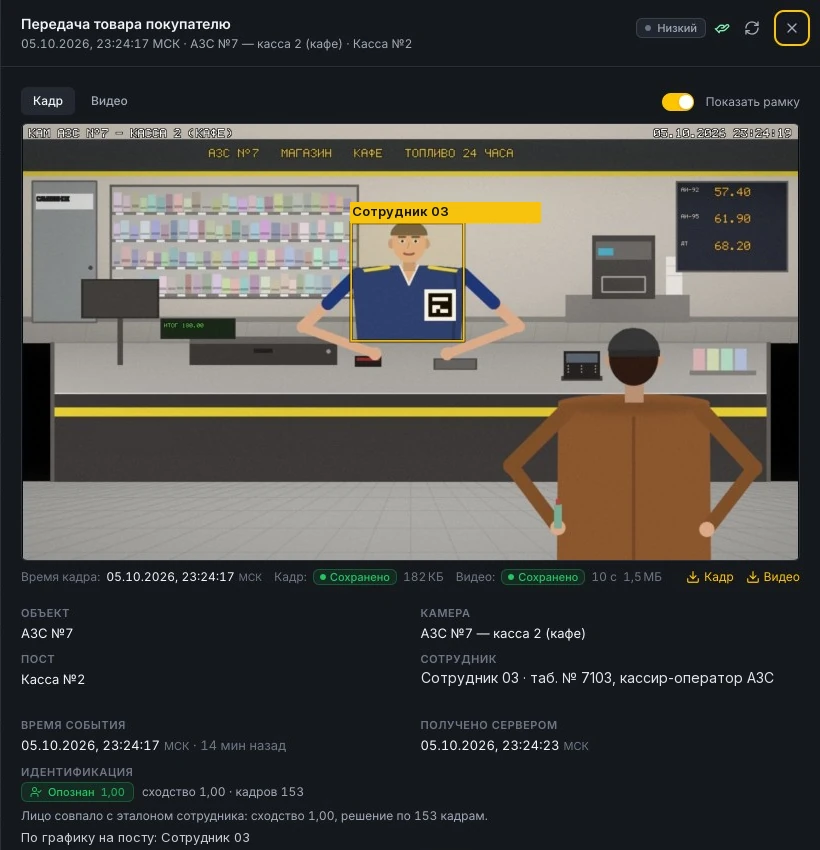
What it looks like
Frames with system annotations
Bounding boxes, statuses and labels are drawn by the on-site unit. Frames were produced from licensed stock footage and a synthetic checkout scene in the demo environment.
Fig. 01 Cash drawer left open. Simulation in the demo environment. 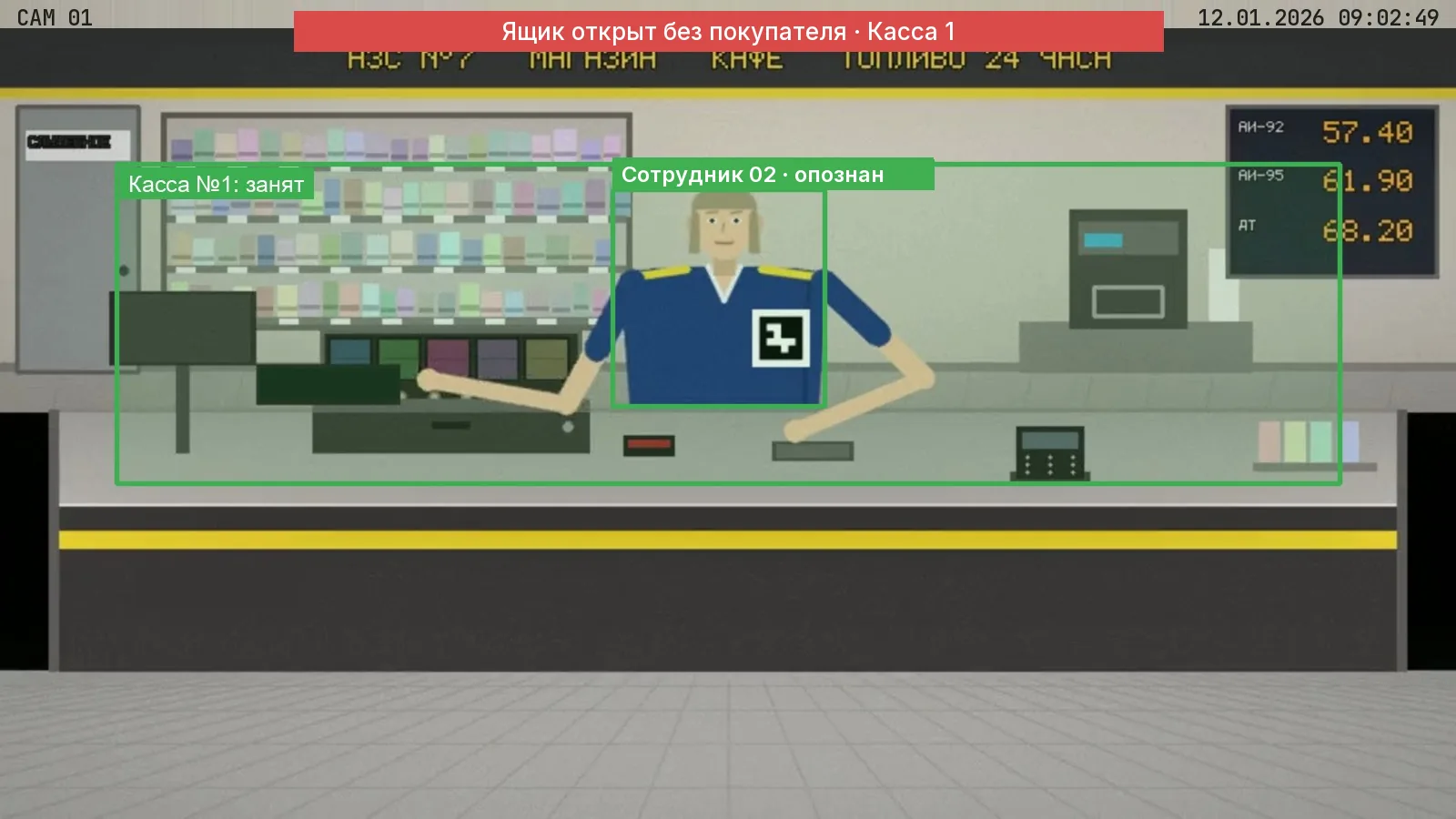
Fig. 02 Drawer opened with no customer present. Simulation in the demo environment. 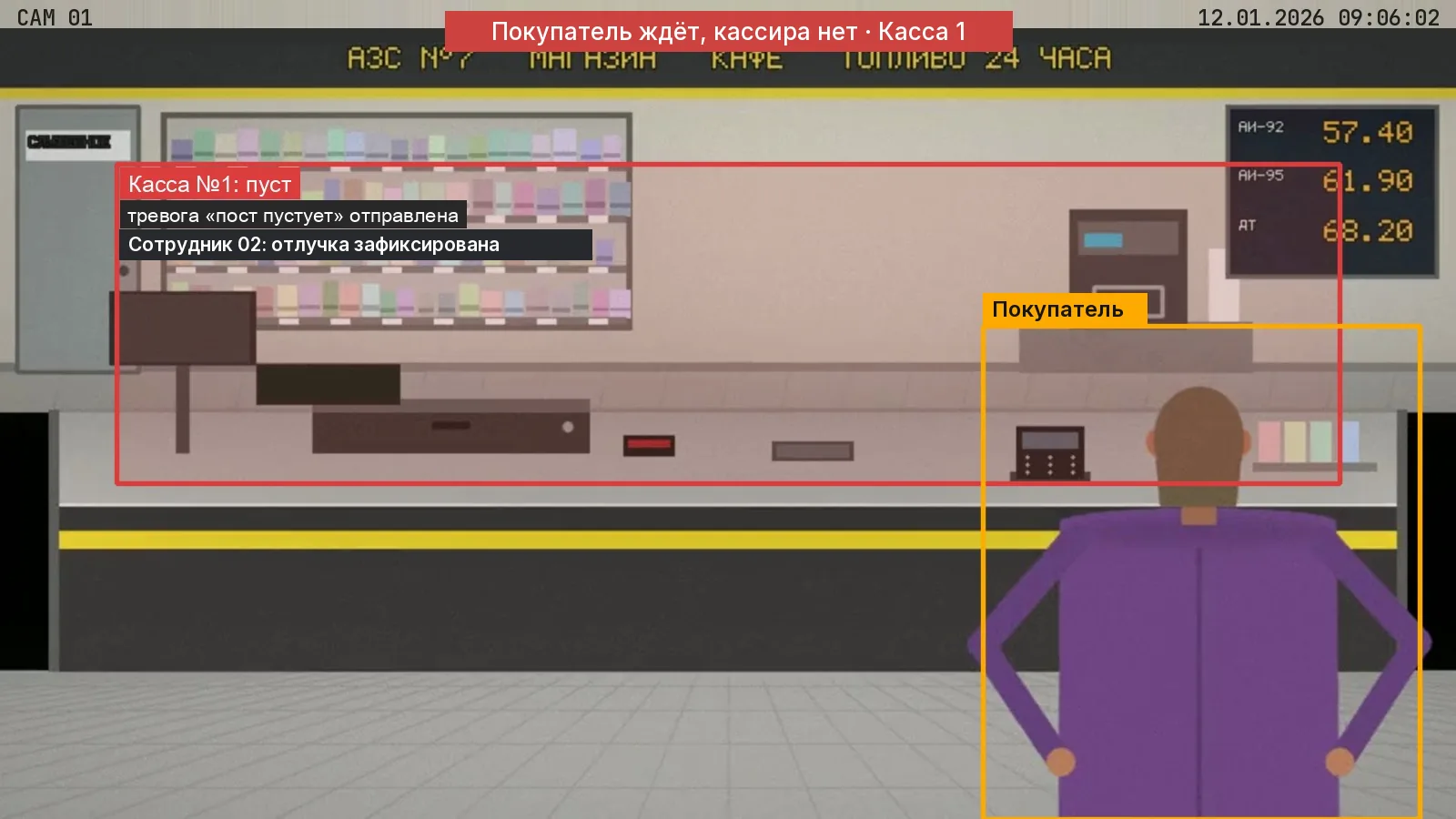
Fig. 03 Customer waiting at an unattended checkout. Simulation in the demo environment. Fig. 04 Counting cash, overhead view. Stock footage. 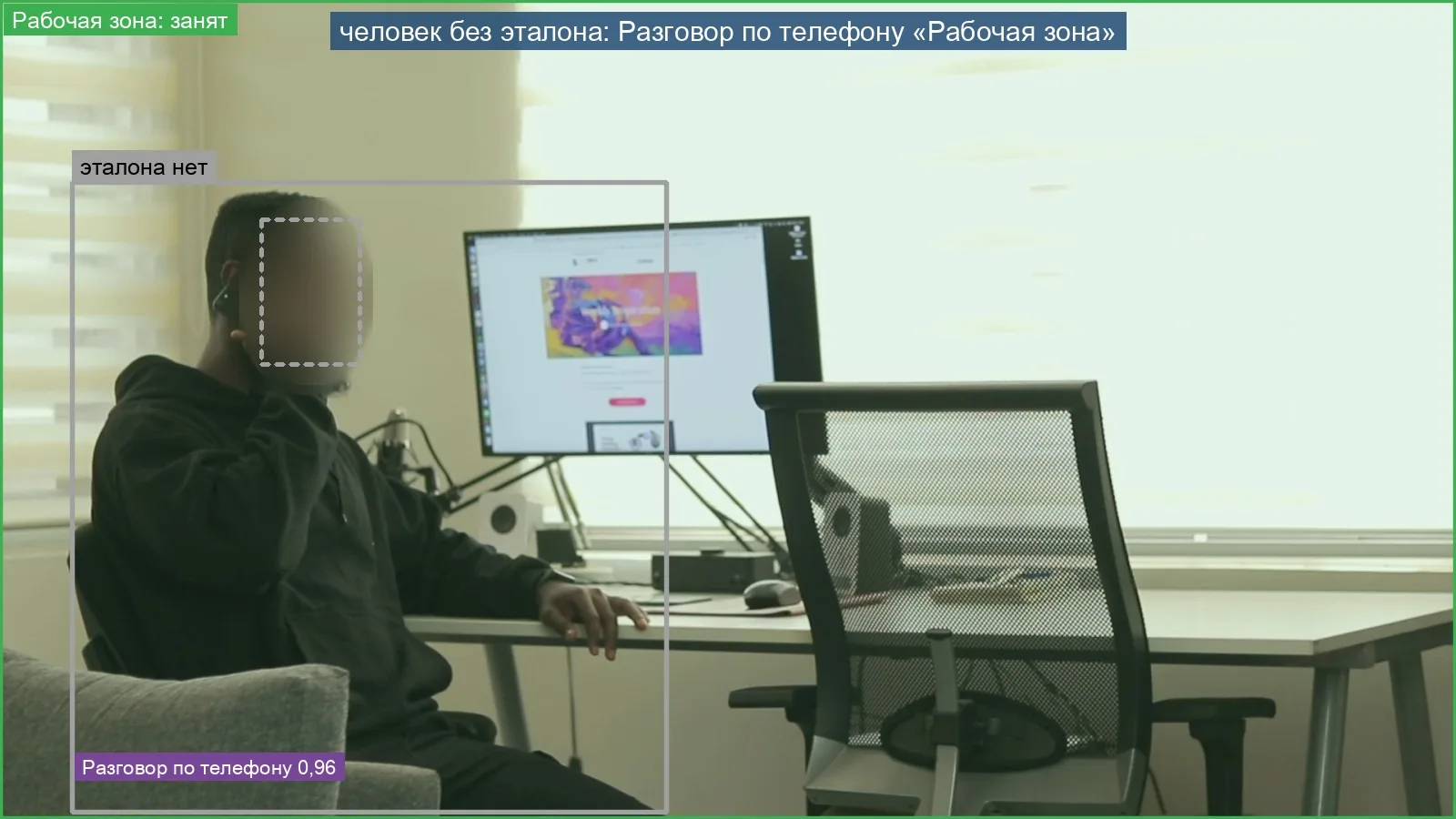
Fig. 05 Phone call — an informational flag. Stock footage. 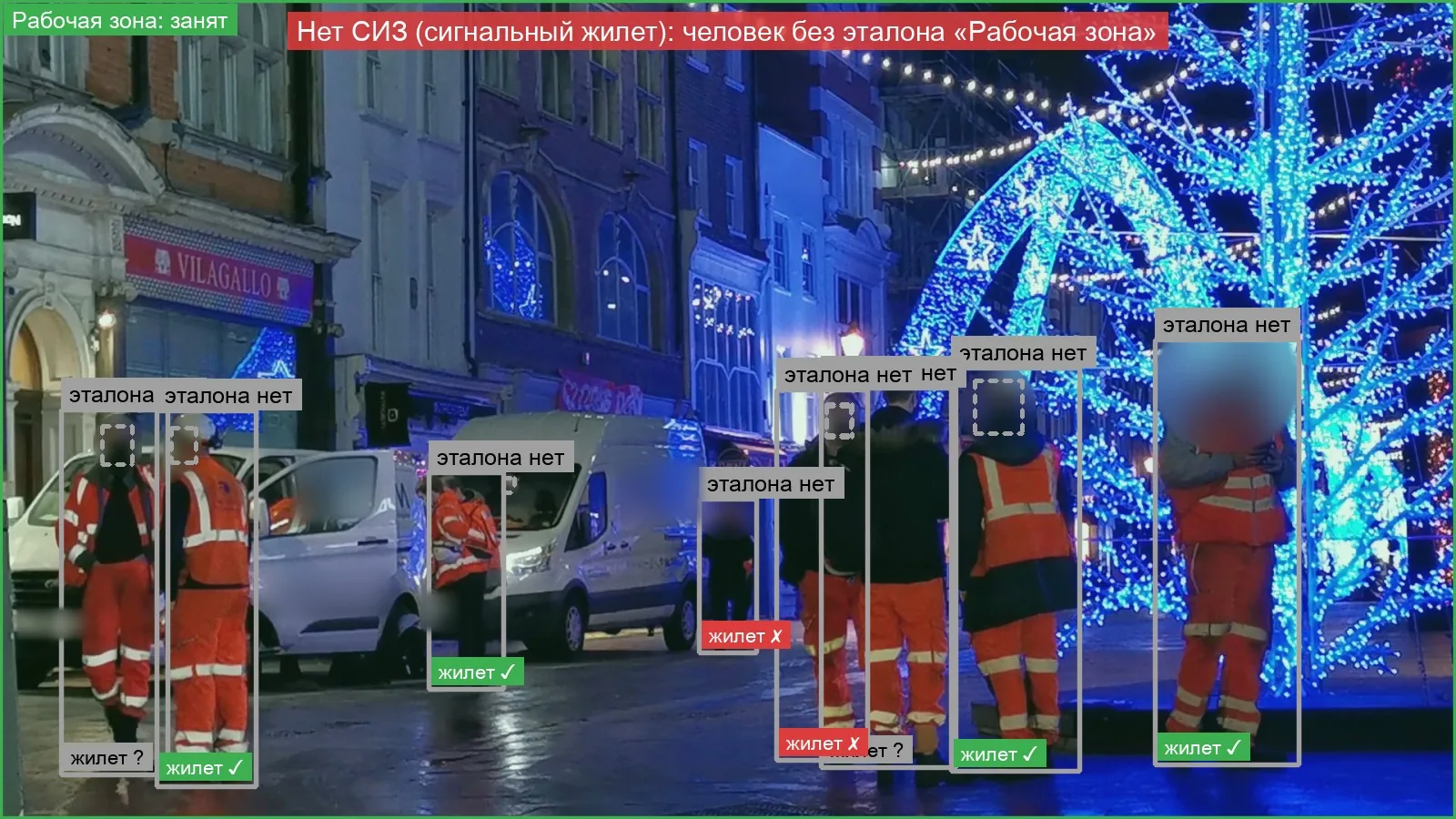
Fig. 06 No high-visibility vest, night shift. Stock footage. 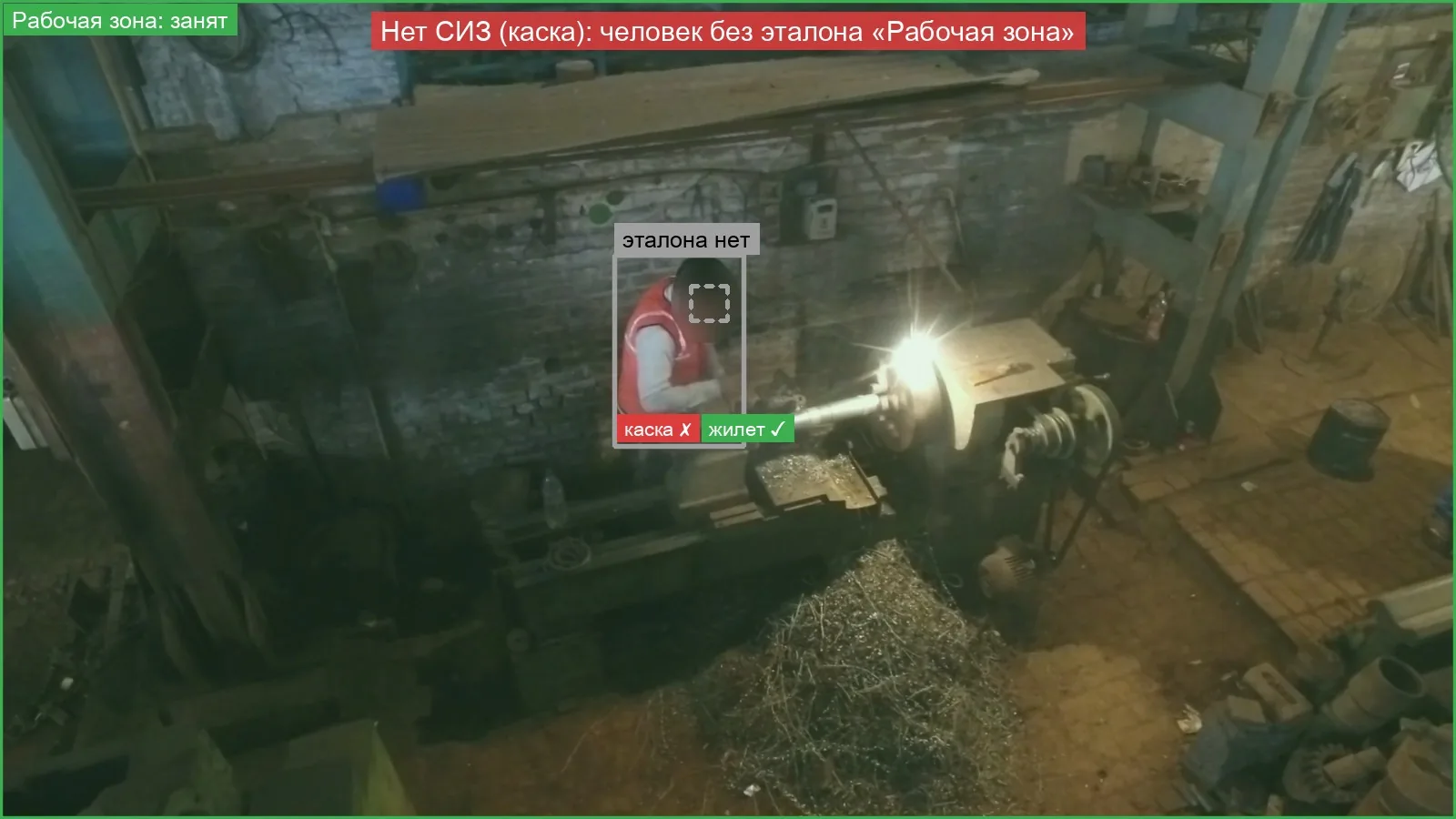
Fig. 07 No helmet. Stock footage. Fig. 08 A person on the floor. Stock footage. 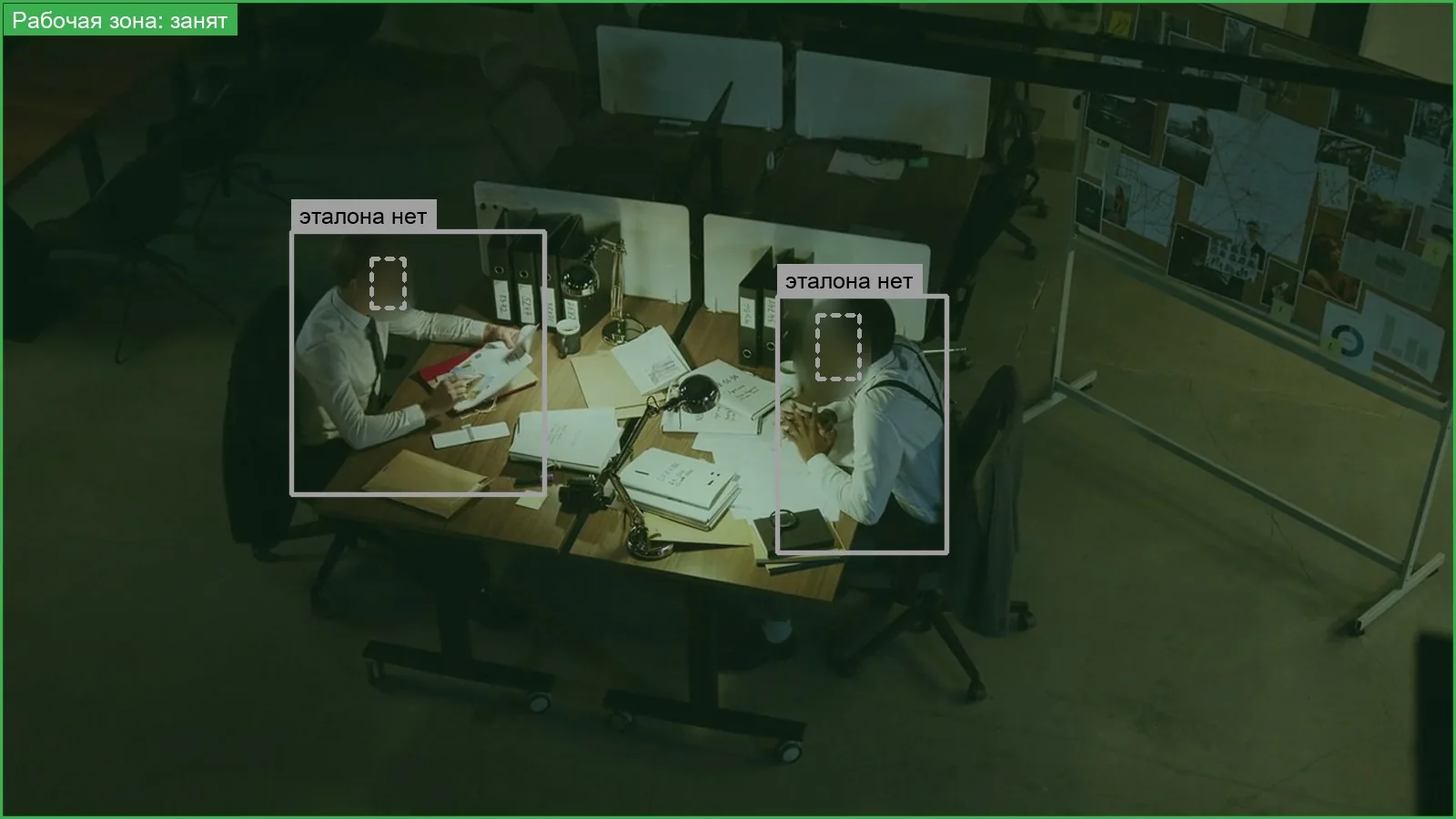
Fig. 09 Low light. Stock footage.
Analytics
What to change in how the site operates
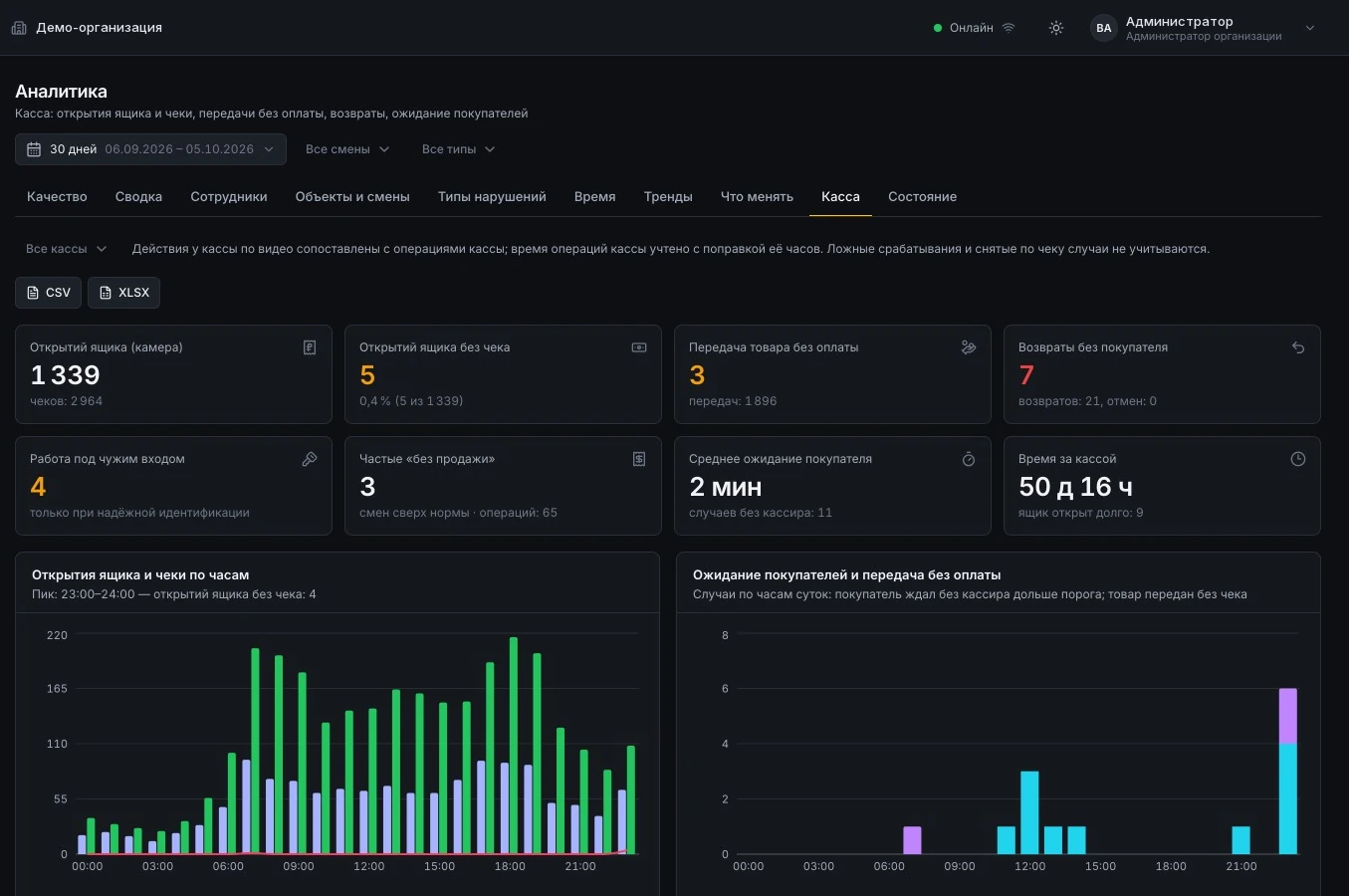
Analytics shows the share of false alarms, violations by site, shift, employee, hour and day, and the “before and after deployment” trend. For checkouts: drawer openings, receipts and discrepancies by checkout and by cashier.
Recommendations address how work is organized rather than ranking offenders: shift handovers, refund confirmation, personal accounts, breaks during peak hours.
AI trained for your tasks
If an action, object or scenario you need is not covered by the standard modules, we train n7kel AI further to the client’s requirements.
- new workplace actions and procedure violations;
- new objects and equipment in the frame;
- your company’s uniforms and PPE;
- post rules and scenarios matching your procedures;
- further training uses annotated examples from the site, at the client’s decision and under a non-disclosure agreement; the result is verified before it goes into operation.
Integrations
Integration is possible with virtually any client system.
- POS system and 1C: transactions via the REST API or as a CSV or XLSX file with column mapping; resending does not create duplicates;
- REST API with keys that have separate permissions: a POS key can only submit transactions;
- signed webhooks for security department systems, access control and security monitoring consoles;
- databases, file exchange, message buses, ERP, legacy systems — as part of the project;
- government databases — under an agreement with the authorized bodies;
- notifications to corporate e-mail and Telegram; export to Excel;
- events passed to n7kel Atlas, n7kel Fuel Station Control and other n7kel products;
- roles: administrator, security department, site manager (assigned sites only), auditor (view only).
Hosting
Hosting options
| Autonomous | Hybrid | |
|---|---|---|
| On site | On-site unit and server with dashboard, analytics and archive | On-site unit: video intake, recognition, event recording |
| Dashboard and archive | On the client’s hardware, in the client’s network | Server in a data center; the location is specified in the contract |
| External connectivity | None: data does not leave the company | Only an outbound secure connection from the on-site unit |
| Without internet | No connection required | Analysis continues; events are sent later |
| Right of use | Perpetual license and annual support with updates | Subscription |
License
A perpetual license is the right to use the product on the client’s equipment; it does not transfer the source code or any rights to the product. Annual support includes new versions, fixes and 24/7 support service; response times are set in the contract. If support is not renewed, the installed version keeps working.
The price is determined after the site survey. Learn more in Delivery and licensing options.
Restrictions and confidentiality
Any restrictions you need are put in place at your request: which cameras, posts and modules are enabled, what is recorded, how long it is stored and who sees what. In every case, all information remains confidential and is not shared with third parties. The only exceptions are those expressly provided for by the contract and the law: transfer of match information to the authorized body when the wanted-list check module is enabled (under an agreement with that body), and processing on the client’s instructions in the hybrid option.
Visitor recognition is off by default and is enabled only by the client’s decision, as a separate module on a lawful basis — for example, checks against wanted lists under an agreement with government authorities. Employees are identified only with their written consent. A responsible member of the client’s staff makes the decision on every signal. Audio analysis is handled by n7kel Voice.
Pilot
Pilot: 2–4 weeks at 1–2 sites
Recordings and report
You provide 1–2 camera recordings under a non-disclosure agreement. Within 5 working days we return a report: what was found and which cameras are suitable.
Sites and criteria
We select 1–2 sites and, before the start, agree on success criteria, the internal policy and the staff notice.
Installation
We install the equipment and define zones. Installation at one fuel station takes 1 working day.
Calibration
Week one: calibration on your recordings, tuning of post thresholds, review of every false alarm.
Operation with no disciplinary action
Weeks 2–4: the security department reviews events; the share of false alarms is visible every day.
Final report
A report with figures against the agreed criteria and recommendations for each site — the basis for the deployment decision.
Questions
Is employee consent required?
For face identification, yes: written and voluntary; without it, all functions except identification work. The legal basis for the rest of the video analytics (notice, consent or another basis under the law of the country) is determined by the client’s lawyer; we provide a staff notice template and a description of the protection measures.
Can condition assessment be switched off?
Yes. The auxiliary condition assessment (fatigue and stress) is off by default and can be fully disabled in the configuration. Even when enabled, it does not create or escalate violations.
What happens if the internet connection is lost?
The on-site unit continues analysis and stores events, then sends them once the connection is restored. The autonomous option needs no connection at all.
Which legislation is the system designed for?
It is designed for the personal data legislation of the client’s country: in Kazakhstan, the Law “On Personal Data and Their Protection”; in Armenia, the Law “On Protection of Personal Data”; for other countries, on request. The final legal assessment of the deployment procedure is given by the client’s legal counsel.
Will our cameras work, and can 3D cameras be connected?
n7kel AI is trained and tested on ordinary 2D images, so the cameras you already have are suitable. 3D cameras are supported too, if they are already on site or the task requires them.
Can audio and conversations be analyzed?
Yes, with n7kel Voice: speech-to-text and speech analytics in any language; the price depends on the number of languages. Audio is processed only when employees and customers are notified as required by the law of the country.
Can vehicles and visitors be checked against wanted lists?
Yes, if the client requires it: the module is connected only under an agreement with the relevant government authorities and in the manner established by law. In the event of a match, a notification goes to an authorized member of the client’s security department and, as the agreement provides, to the authority.
See n7kel Vakhta on your own recordings
We will show the system in a demo environment or on recordings from your cameras. A report on your recordings within 5 working days of receiving them.
Frames show n7kel AI output on licensed stock footage and on a synthetic checkout scene; people’s faces are blurred. Screenshots show demonstration data; the interfaces in the illustrations are schematic mockups with sample data. The interface in the screenshots is shown in Russian.